${articleTitle}
CJ Platform Update: New Homepage & Navigation Guide
To provide a smarter and more efficient user experience, CJ has upgraded its homepage and global navigation.
This update focuses on improving usability, simplifying CJ workflows, and helping you manage your business more easily. With the new layout, you can quickly access key information, explore opportunities, and improve your daily operations.
Outline
- New Homepage Overview
- Service Module Upgrade (Subscription System)
- Sub-account Entry Update
- Left Navigation Menu Updates
1. New Homepage: Your Business Dashboard
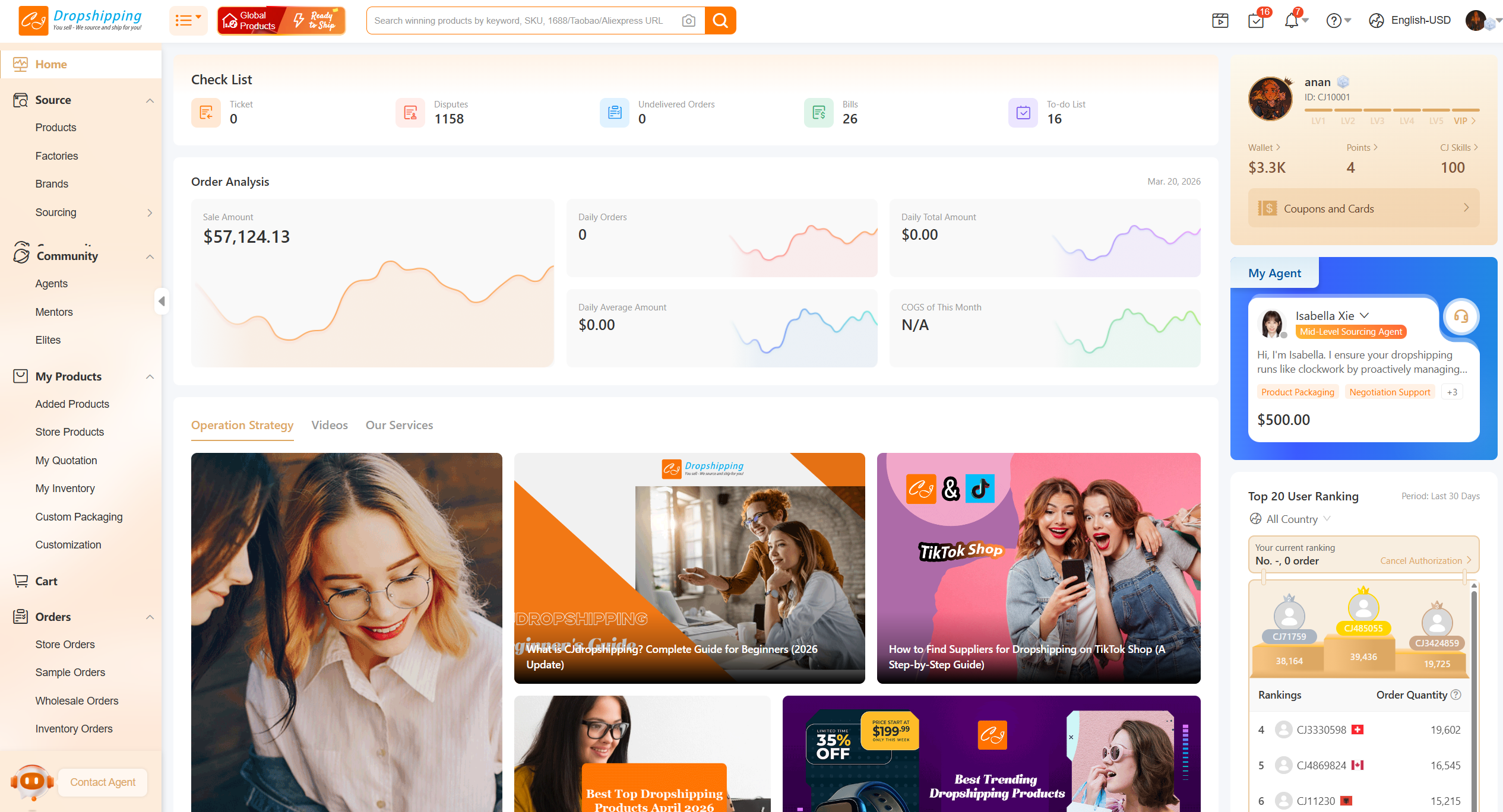
After logging in, you will see a new homepage, which replaces the previous product page.
This homepage works as a central dashboard, bringing together important information in one place:
- Account Information: View your account status and important reminders
- Agent Section: Check your assigned agent and communicate efficiently
- Data Overview: Monitor key store performance metrics
- My Tasks: Manage fulfillment tasks and notifications
- Ranking: View platform rankings and trends
- CJ News: Get updates on announcements, events, and market insights
- Product Recommendations: Discover trending and recommended products
2. Service Module Upgrade: Subscription-Based System
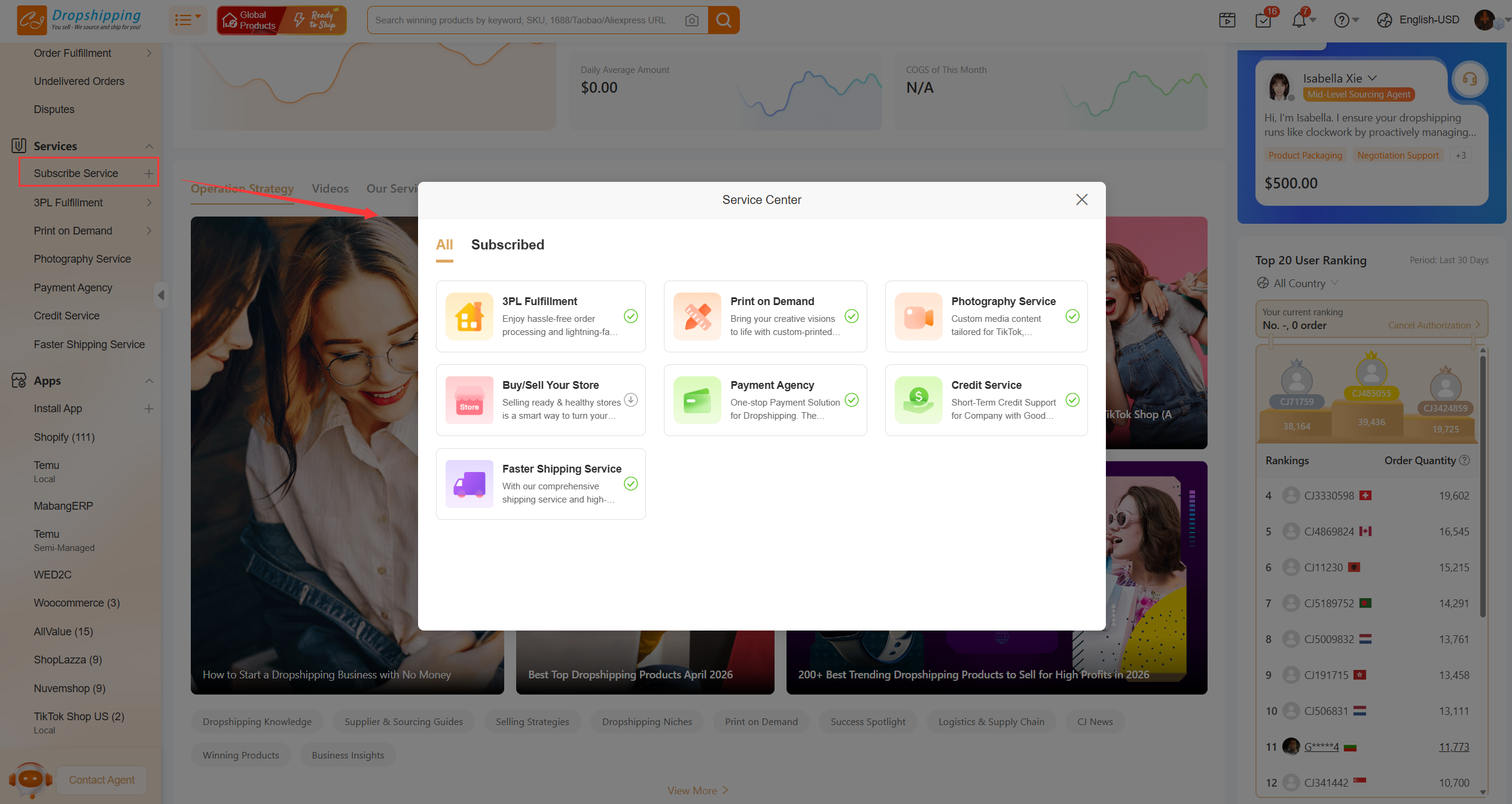
The Services module has been upgraded to a subscription system, making it easier to manage.
- Existing users: All services are already subscribed by default
- New users: The system automatically subscribes you to 3PL Fulfillment (this cannot be canceled)
- You can unsubscribe from other services in their respective pages if needed
3. Sub-account Entry Update
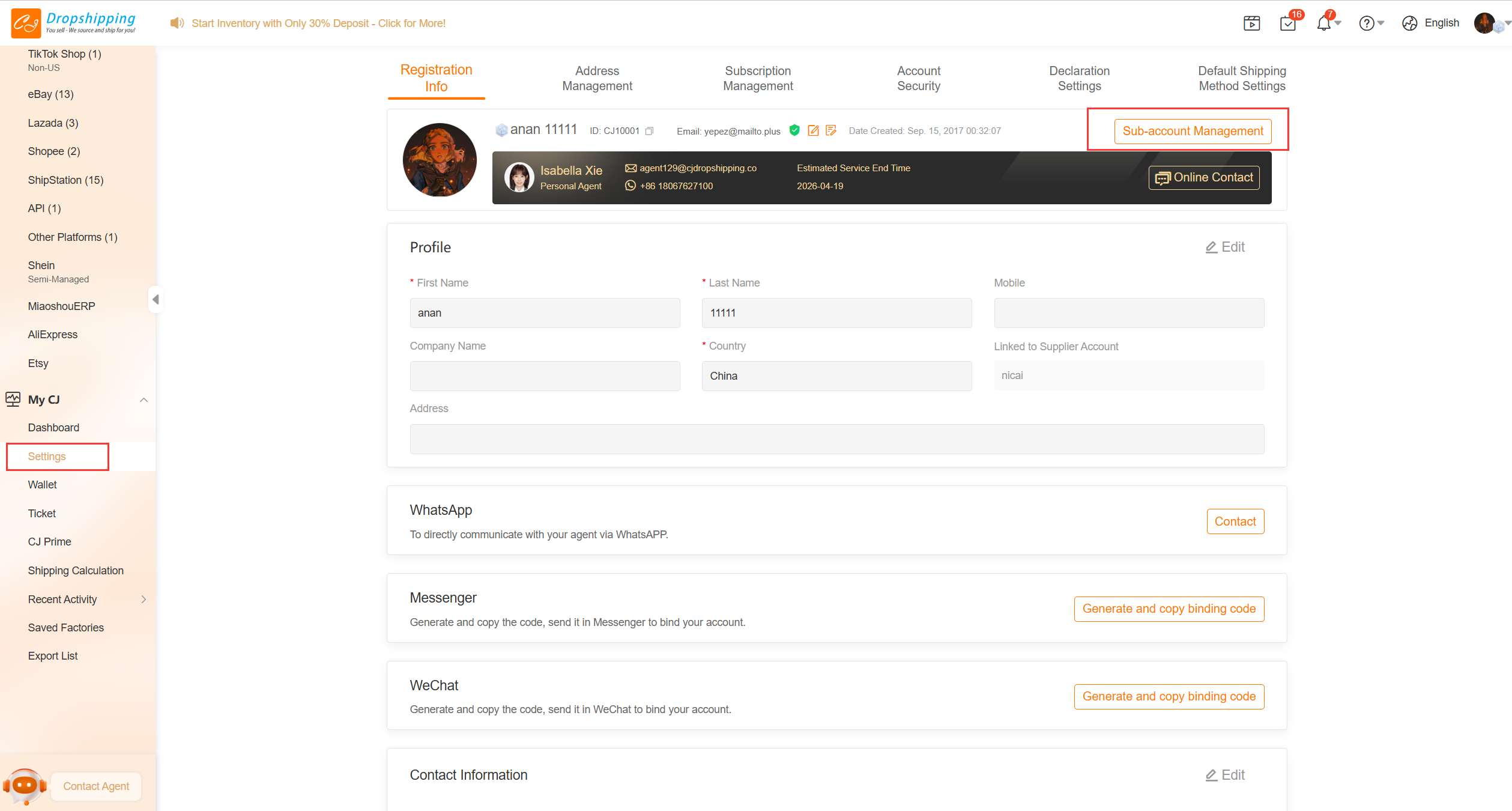
The sub-account management entry has been moved. You can now manage sub-accounts under Settings.
This allows you to manage permissions and accounts in one place more efficiently.
4. Left Navigation Menu Updates
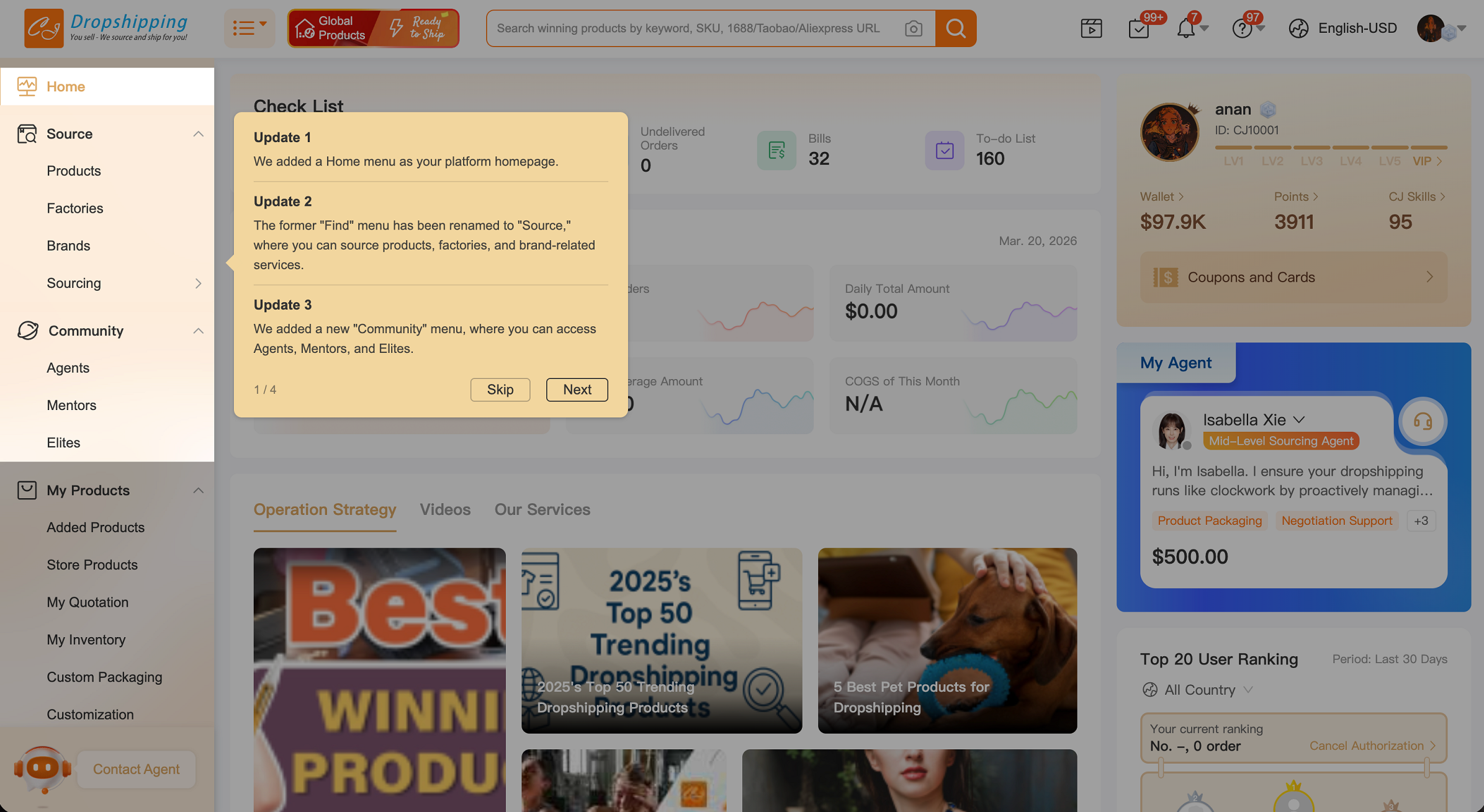
The left navigation menu has been redesigned to improve usability and structure.
Key Updates
1. Renamed Menus
- Dashboard → Home
Now serves as the homepage entry - Find → Source
Focused on product discovery - Products → My Products
Centralized product management - My Products → Added Products
Used to manage the products you have added - Profile → Settings
For account and sub-account management
2. New and Improved Menu Structure
- Brands
A new submenu for brand-related content - Sourcing
Includes options like:- By CJ
- By 1688
Supports multi-platform sourcing
- Community
A new section including:- Agents
- Mentors
- Elites
3. Menu Grouping Optimization
- Custom Packaging and Customization
Now grouped under My Products - Order Fulfillment
Added as a submenu to organize fulfillment-related features - 24h Fulfillment
Now located under 3PL Fulfillment - CJ Prime and Shipping Calculation
Moved under My CJ - Recent Activity
Now combines:- Browsing history
- Product records
- Video records
4. Clear Order Function Separation
A divider has been added to separate:
- Pre-sale features
- After-sale / order-related features
This helps you find order functions more quickly.
Conclusion
With this update, CJ provides a more structured and user-friendly interface. The new homepage and navigation help you:
- Access key information faster
- Manage your business more efficiently
- Explore more opportunities within the CJ ecosystem
If you have any questions or suggestions, feel free to contact CJ support. We will continue improving the platform to support your business growth.