${articleTitle}
How to Connect WhatsApp to Your CJ Account?
Connecting your WhatsApp to your CJ account allows our team to provide faster and more personalized support.
Follow the steps below to complete the connection process in just a few minutes.
1. Log in to your CJ account;
Go to the following link and complete the login process:
https://www.cjdropshipping.com/my.html#/profile/info >>
2. Connect your CJ number to WhatsApp;
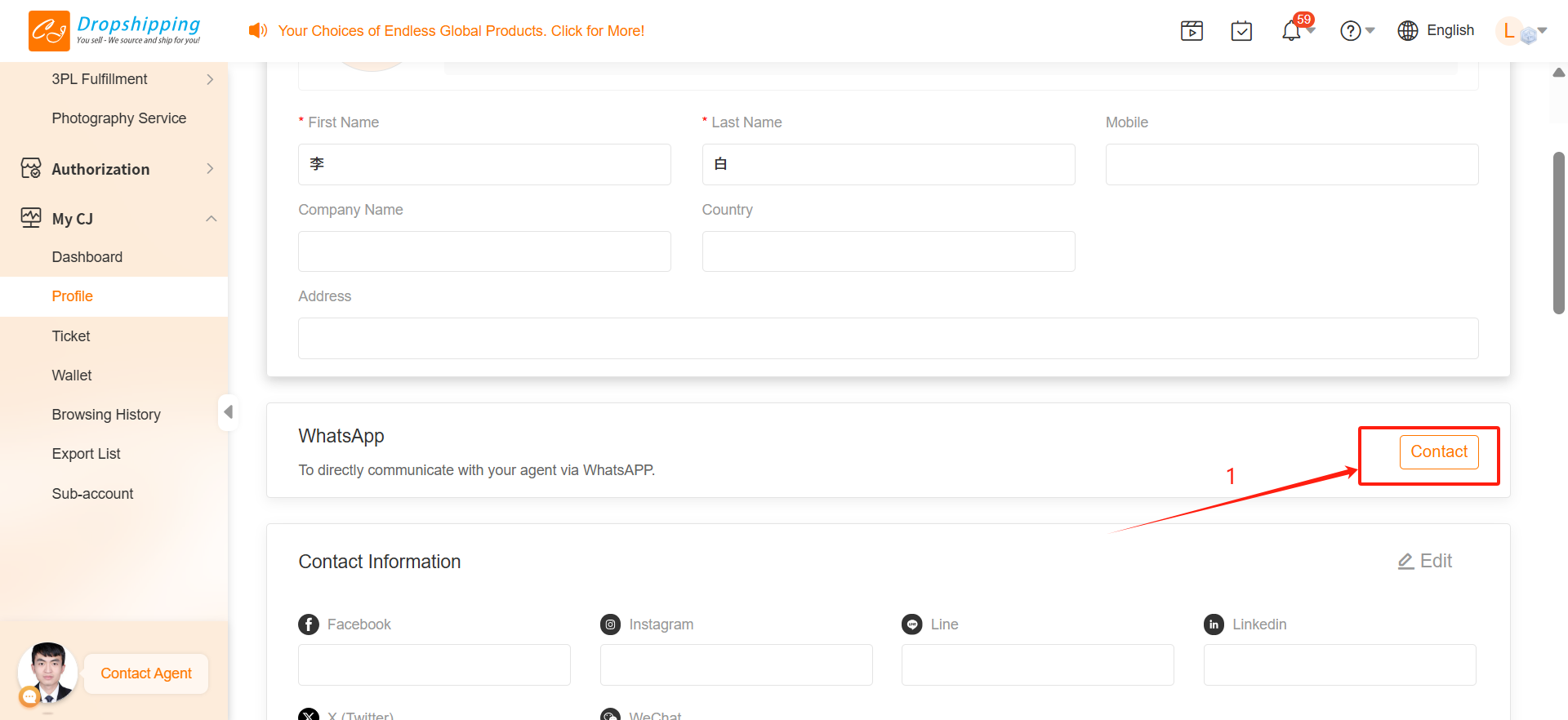
2.1 Click "Contact";
You’ll find this button next to the "WhatsApp" section under profile.
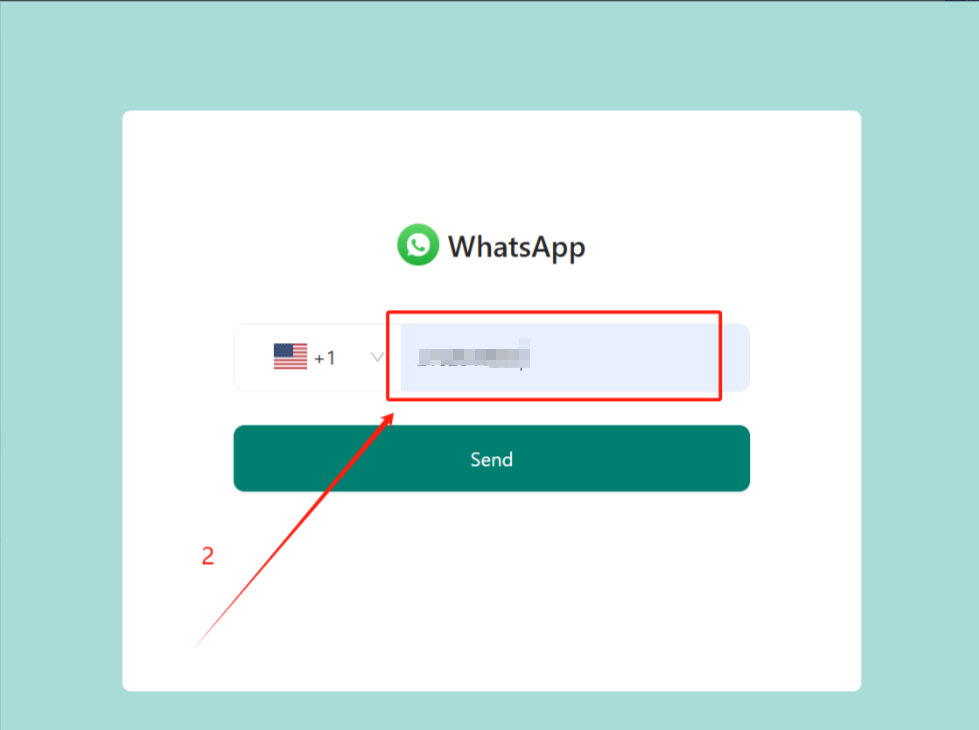
2.2 Enter your phone number and click "Send";
Make sure to use the phone number linked to your personal WhatsApp account.
2.3 Check your WhatsApp app for a verification code;
You’ll receive a message with a code in your WhatsApp.
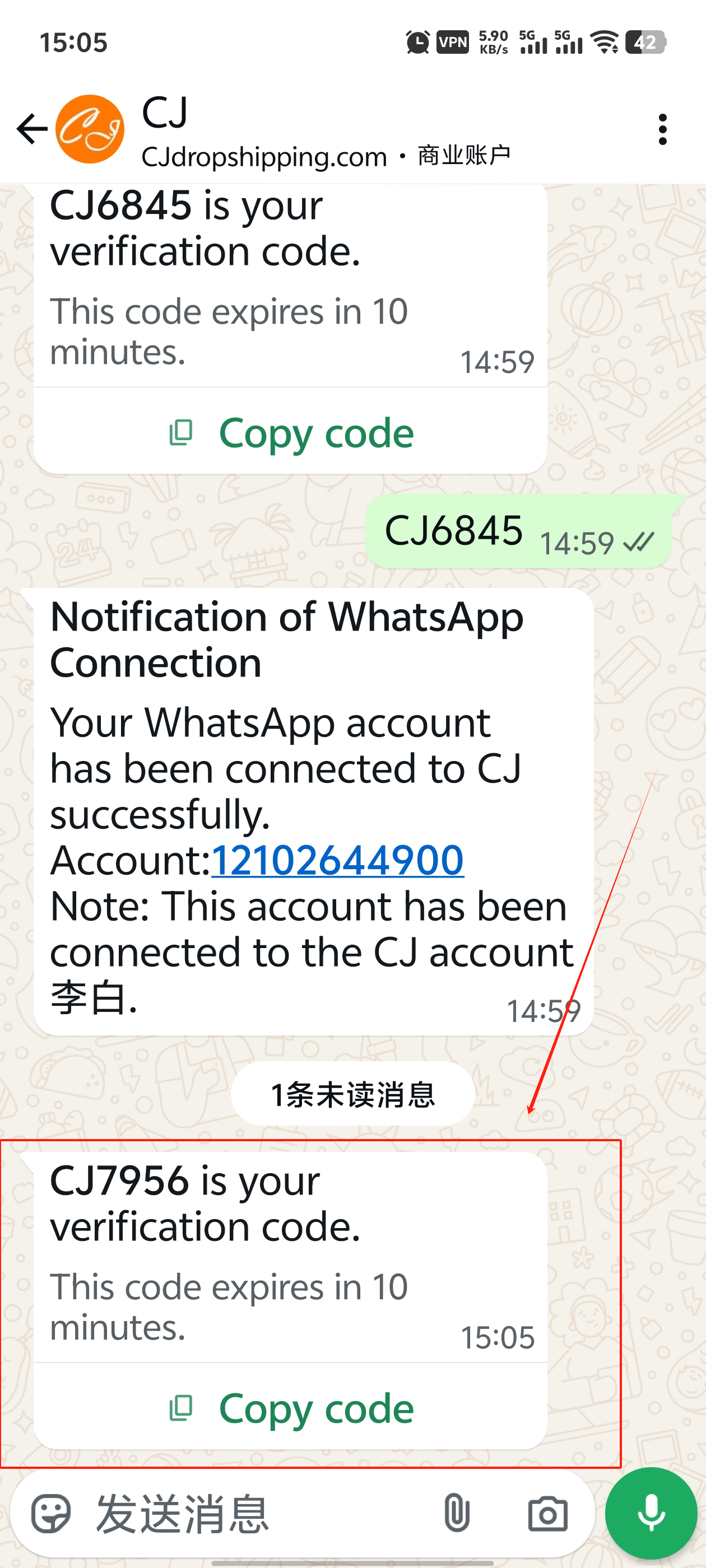
2.4 Click "Copy code" in the window and reply with it in WhatsApp;
Paste the code into the WhatsApp conversation as a reply.
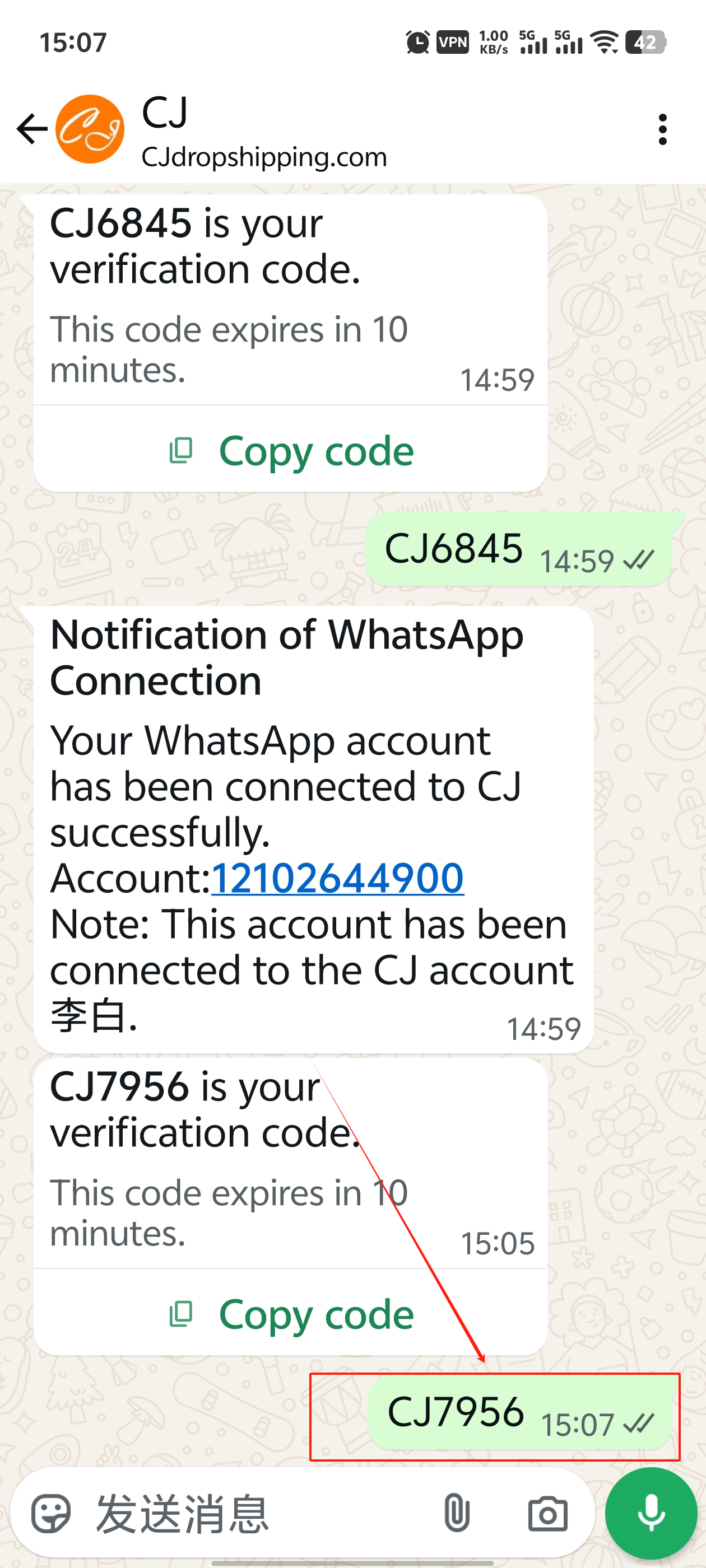
2.5 After replying, click "I've replied";
This confirms you've sent the code.
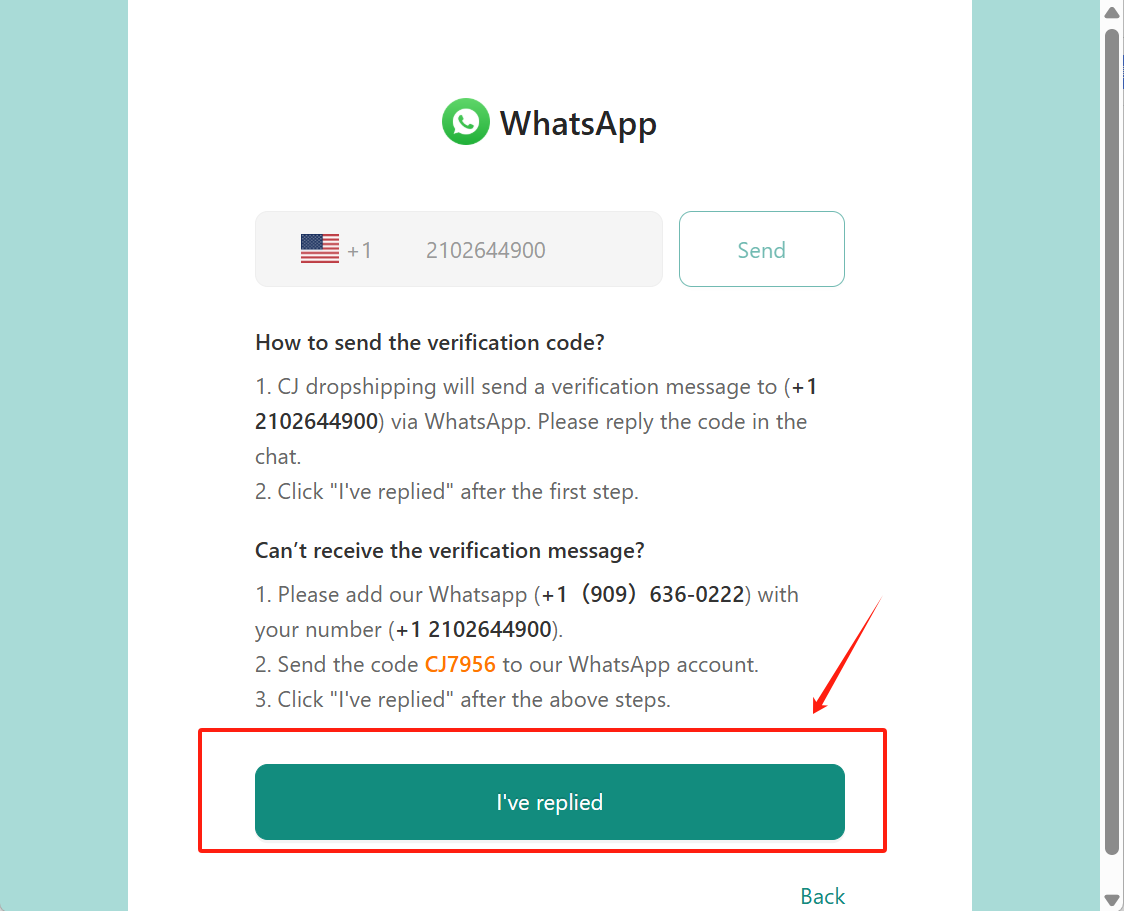
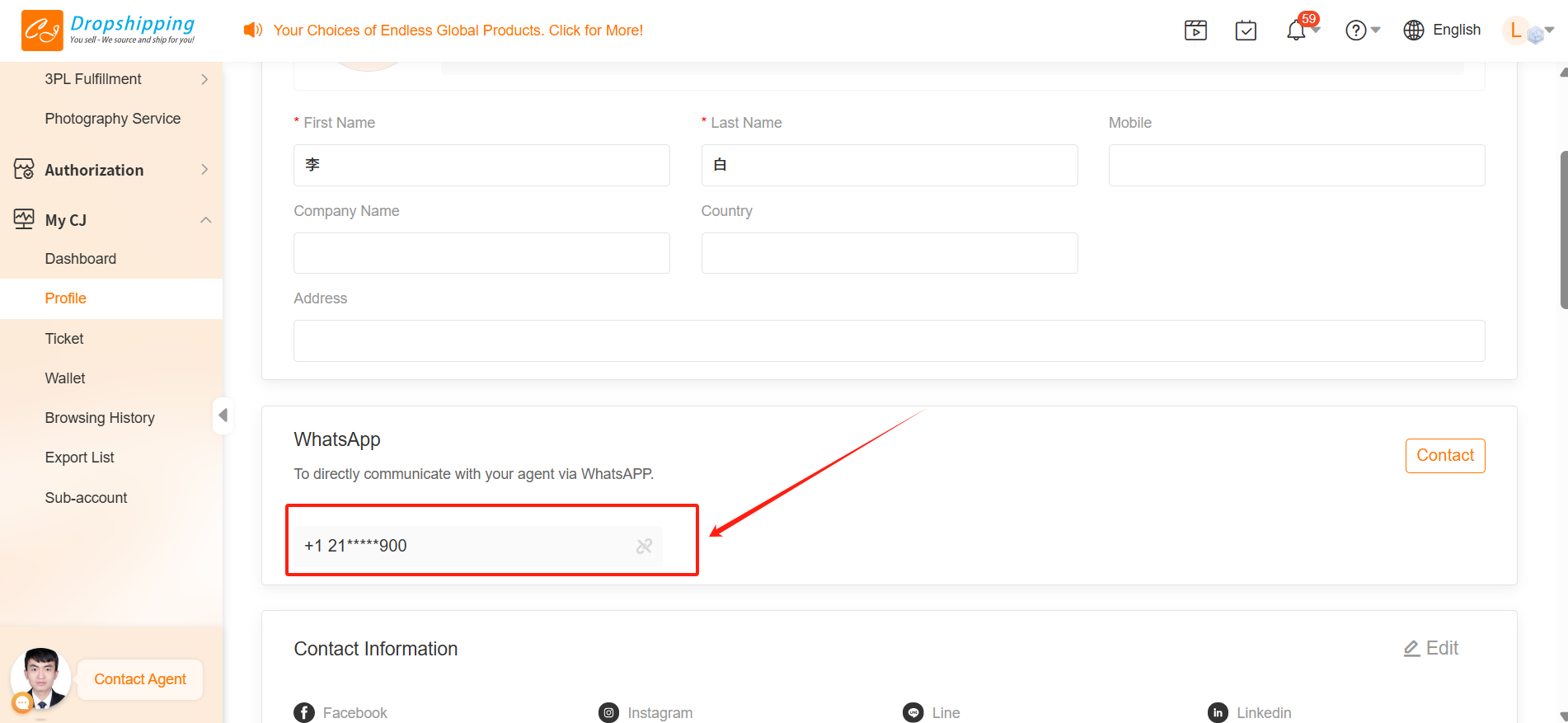
2.6 Success! Your WhatsApp is now connected.